Drill-Through configuration
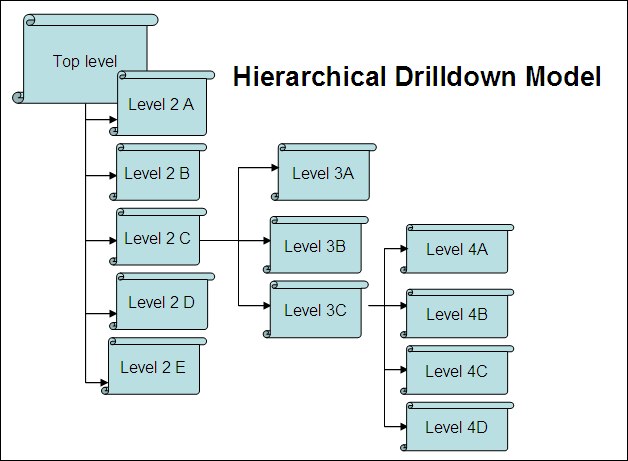
Till now we have seen drill-down configuration. Drill down is performed in a hierarchical fashion. The following diagram illustrates the hierarchical drilldown model. It shows that the top level report has 5 children (2A – 2E) and in that report 2C has 3 children (3A – 3C) and 3C has again 4 children. The hierarchy is defined via the parent keys on the report.
The limitation of the above model is that if there several places where you might want to call the same report using drilldown, the same report needs to be defined as a child report of every report that is to call it, thus leading to redundancy and causing you to have to maintain the same report in multiple places
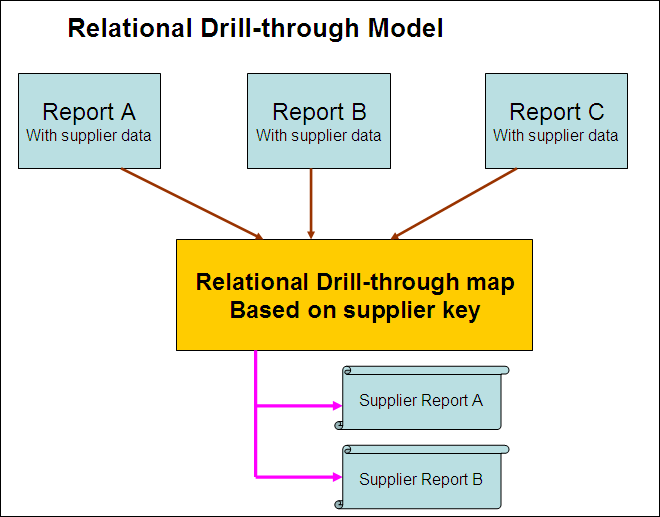
The drillthrough model is mapped using field formats, preferably Global Field formats.
This section will describe how to call a single report from another report using a drillthrough map. We will invoke a report from any level that shows the invoice line items (order items) and the customer to whom this invoice / order was sent, and how this report can be invoked from any report where the invoice / order number is available. The drillthrough key will ORDERID.
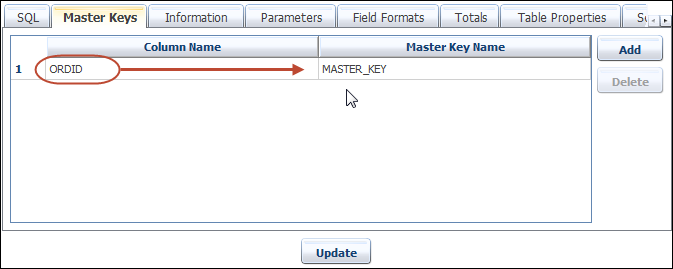
We start off by creating the parent report. Notice from the screenshot below is a parent report which passes master key ORDID to child.

Create MASTER_KEY for ORDID from MASTRE KEY tab.
Now lets create child report (It's not actually a child report, it's the report in which we will drill-through). The screenshot below is of the child report which relies on a key called ORDID, as contained in the angle brackets. Also note that this report will be called by unique ID. This is to ensure portability between systems (Development to Production) and so that all reports can reference the same child report. The unique Id for this called report is DEMO_LINE_TEMS. Add some Totals format to show child report more attractive.
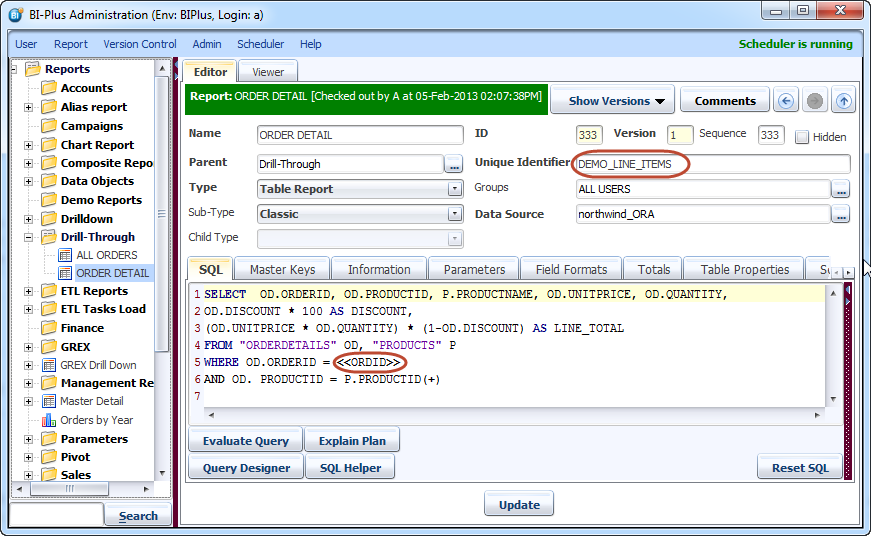
The next step is to declare a global Field Format for ORDID of type Drillthrough, to be able to call the report by its unique ID (DEMO_LINE_ITEMS).
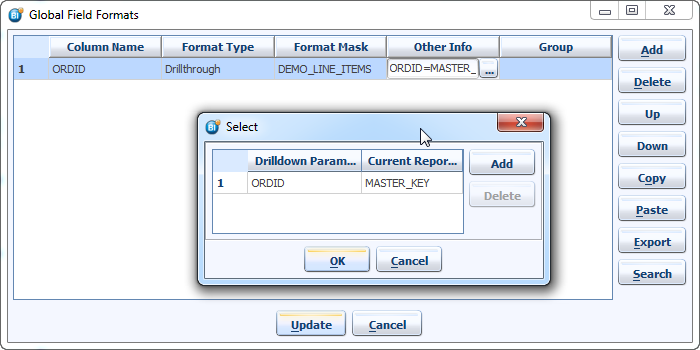
The above image shows that we have created a Global Field format on the column ORDID of type Drillthrough. In the format mask field, we have placed the unique identifier of the called report called DEMO_LINE_ITEMS. As we click the other info, we now relate the master keys of the report to ORDID so that when we invoke any report with a column of ORDID where ORDID has also been mapped to MASTER_KEY, this will allow us to drill through to this child report.
Now lets run the ALL ORDERS report.
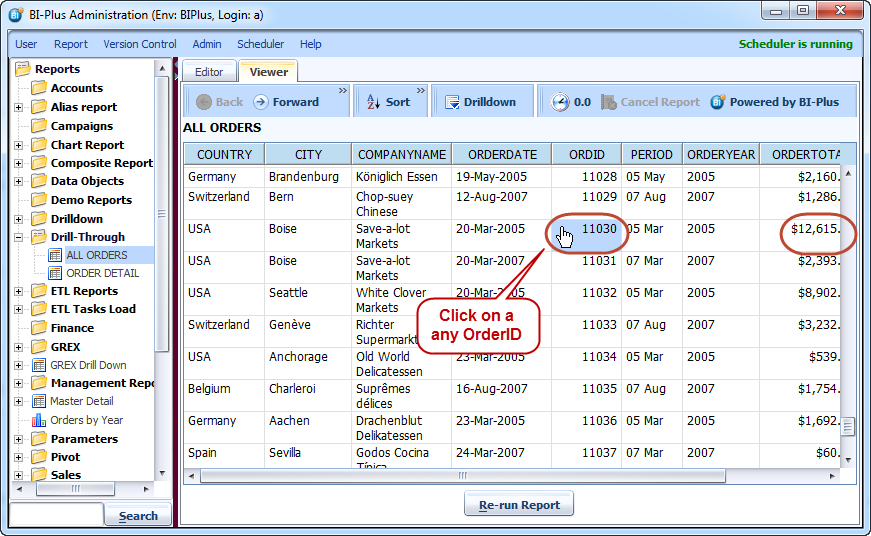
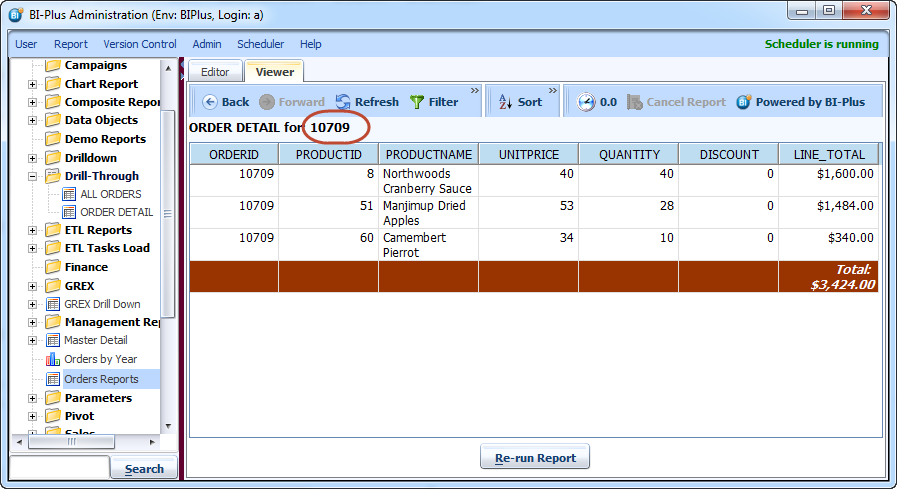
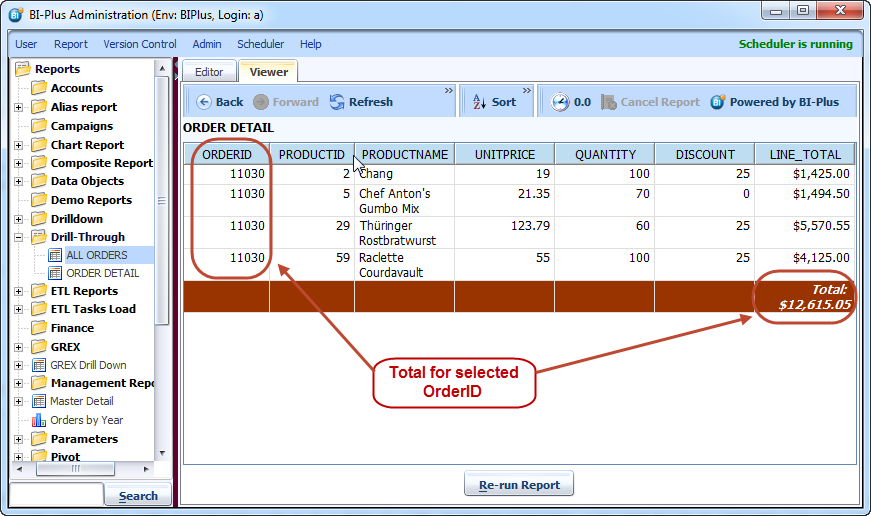
After drill-through on a ORDID we will get the following result.
Drill-Through from Multiple Reports
In the above section we have seen that how to create simple drill-though report. Now we will try to drill-through to same child report (ORDER DETAIL) from multiple reports. Here we have created Orders Report in different location in reports tree which has a same ORDID column.
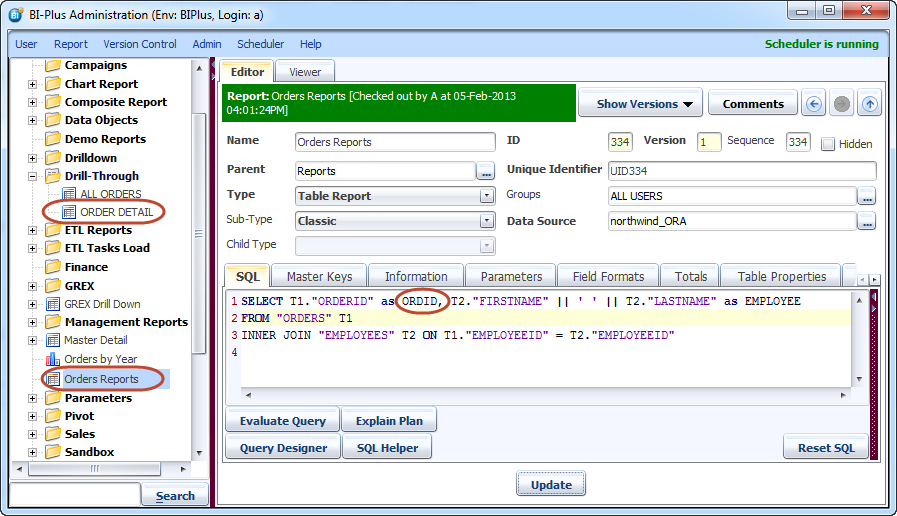
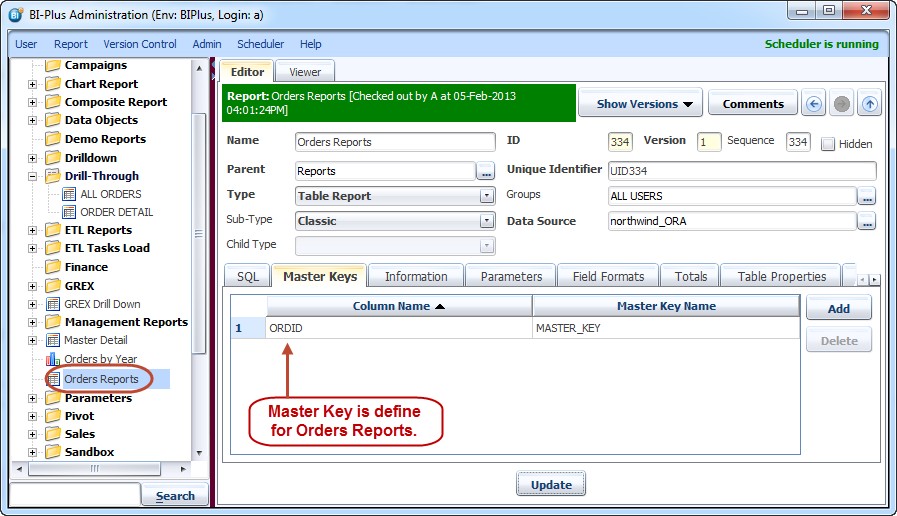
Create the master key for that report from Master Key tab.
Now let run the Orders Rpeort form reports tree.
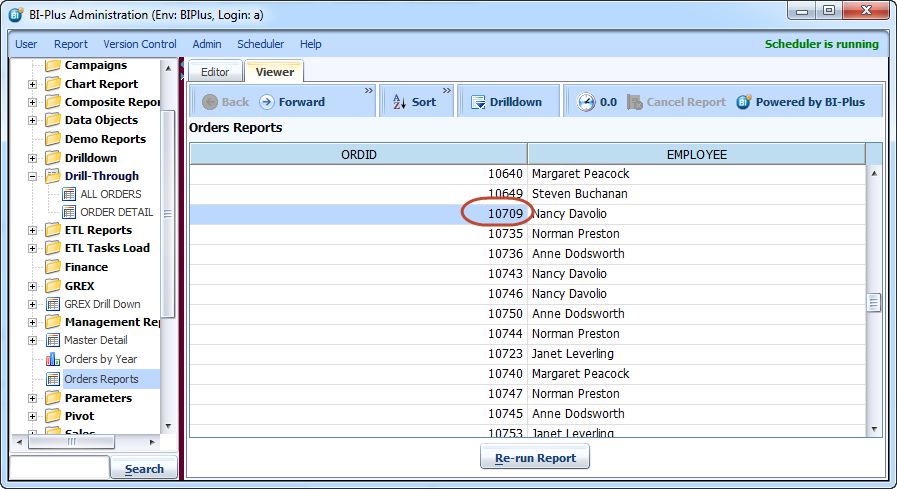
On drill-through on ORDID key Orders Detail report will be opened for related key.