Table of Contents
Link Report & Job Control
BIPLUS allows you to create a report that controls the caching, executing, ETL run of multiple reports.
For example, if there is a bunch of cached data objects acting as materialized views which all need to be refreshed at irregular intervals, say at 5 a.m., 1 p.m. and 6 p.m. daily, by setting the cache expires to 'End of Each Day', this might achieve the cache refresh requirements for the 5 a.m. slot but not be able to satisfy the requirement for the 1 p.m. and 6 p.m. slot.
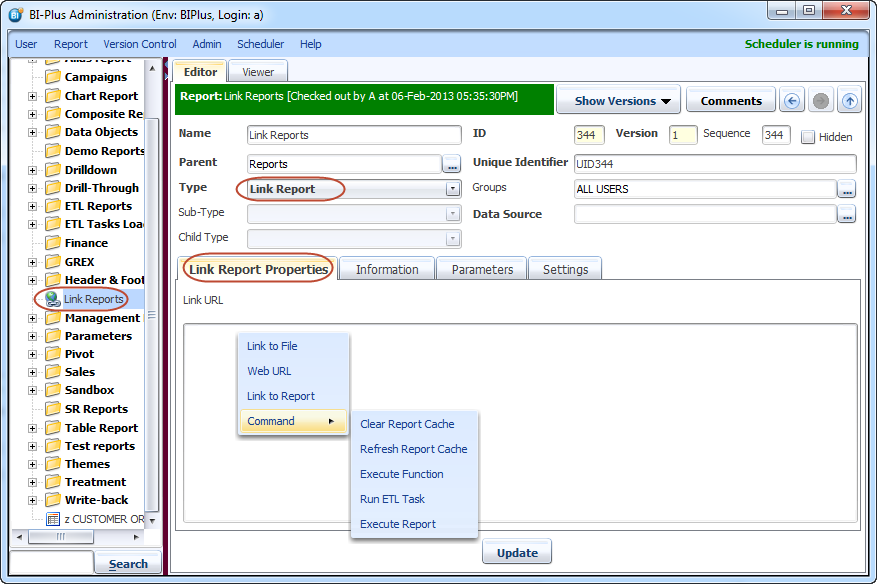
We can create a report of type Link Report which will allow us to control the caching, executing, ETL run of multiple reports (either Data Objects or other type reports) via the Unique ID. All action in Link Report are performed using Link Report Properties tab. Once you create a link report then you can schedule that report via Scheduler for timely execution.
Link to File
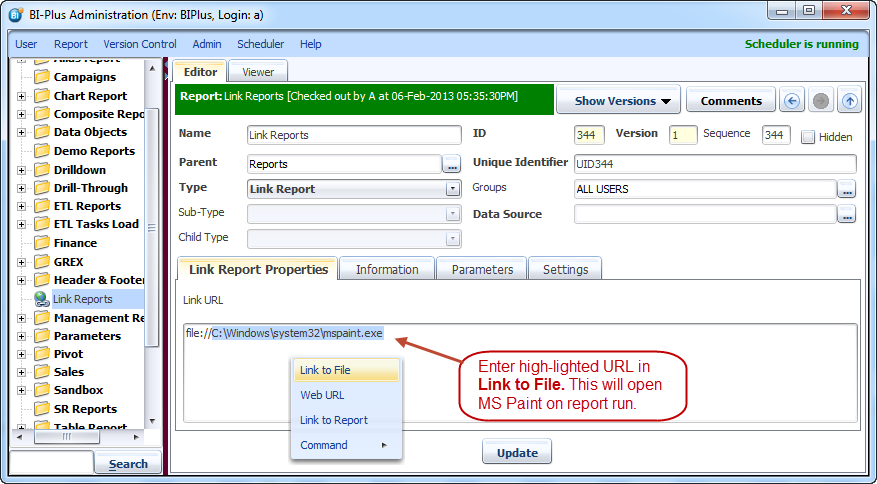
Right-click in editor area of Link Report Properties tab, Select Link to File. This opens a pop-up dialog which asks you to enter a full file name. Enter the full file path of the file and on report execution that file will be opened or executed.
Web URL
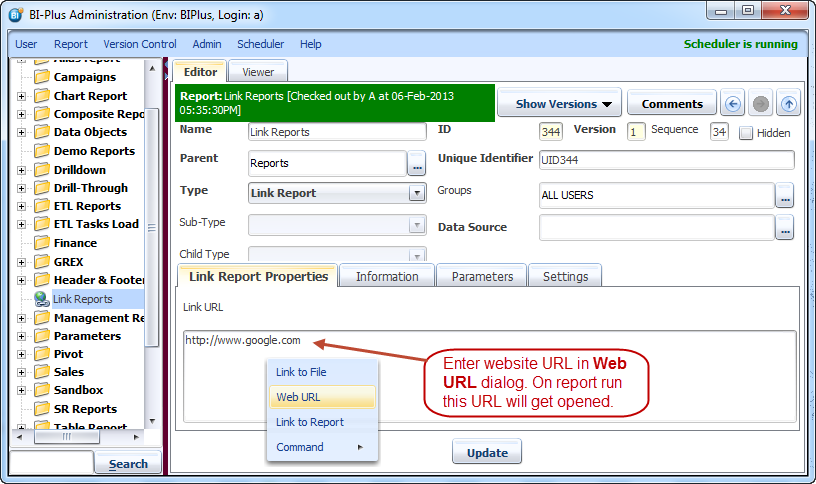
Right click inside editor to enter a web URL. Enter web URL inside a pop-up dialog and click on OK button. On report execution BIPLUS opens the entered web URL in default web browser.
Link to Report
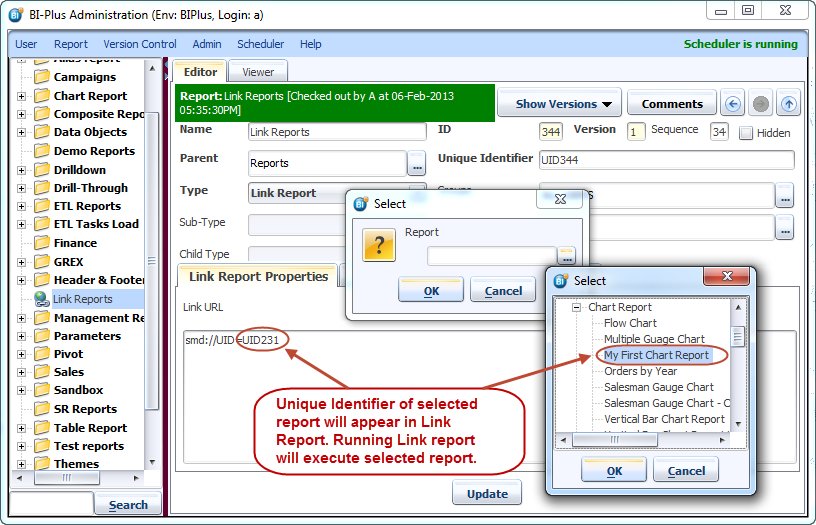
You can select any BIPLUS report using Link to Report. In the pop-up dialog BIPLUS tree allows you to select the report. On execution of link report selected report will be executed.
Command
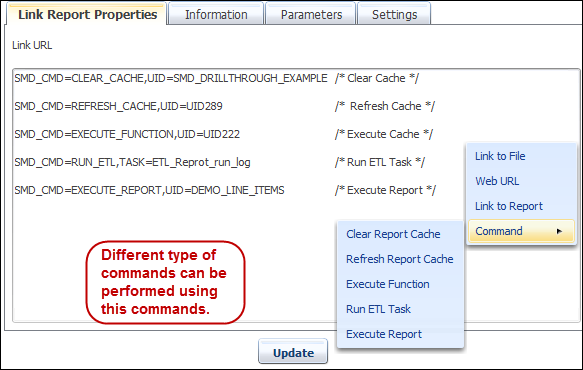
Link Report allows you to perform different types of commands. You need to tell the Link Report that what command is to be executed and which object the command is to be executed on. The command shows the two parts which are separated by comma.
- What command SMD_CMD is to perform:
- REFRESH_CACHE
- CLEAR_CACHE
- EXECUTE CACHE
- RUN ETL TASK
- EXECUTE REPORT
- Unique Identifier of the report object on which to apply the execute command.