Filter allows you to apply filter on your data. Filter option is available in Toolbar and in Right-click menu.
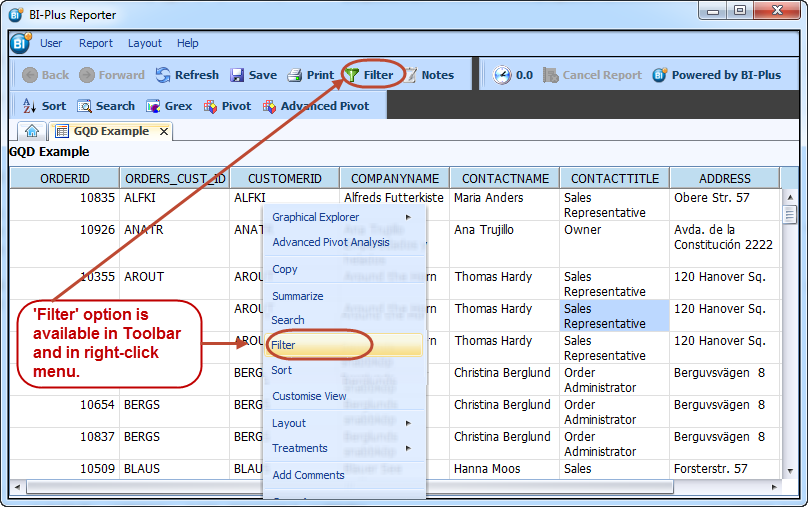
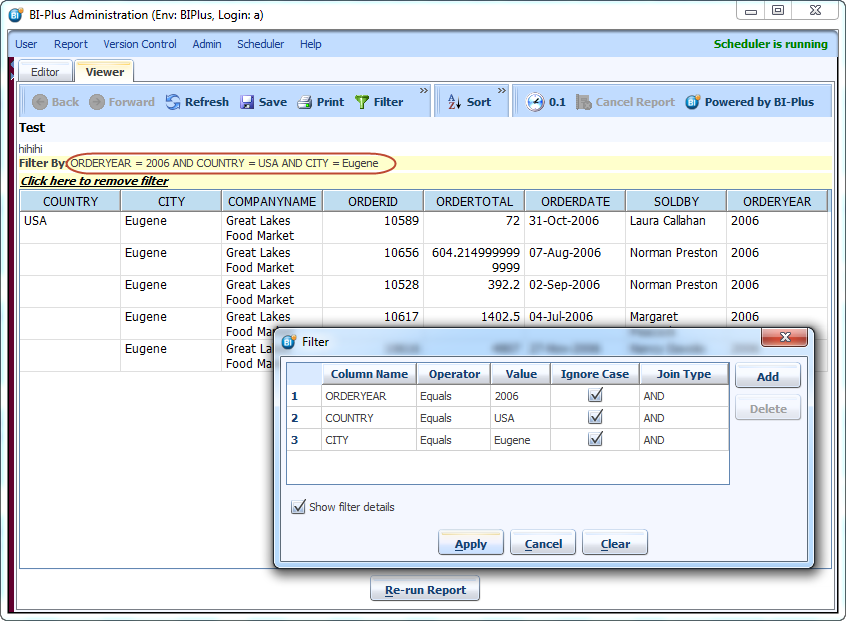
To invoke the filter dialog box, right click in the report or click the filter icon. To add various filter elements, click on the add button which will add up a filter line. The columns for which the filter is to apply will be available from a drop down combo. Select an operator to apply to a column by clicking the one chosen and tab to the next criteria to filter by. Following image shows that after applying filter how filter data is displayed.
Below example shows that data is filtered for orders which are done in 2006 for country USA and city Eugene.