Hierarchical Inline Report
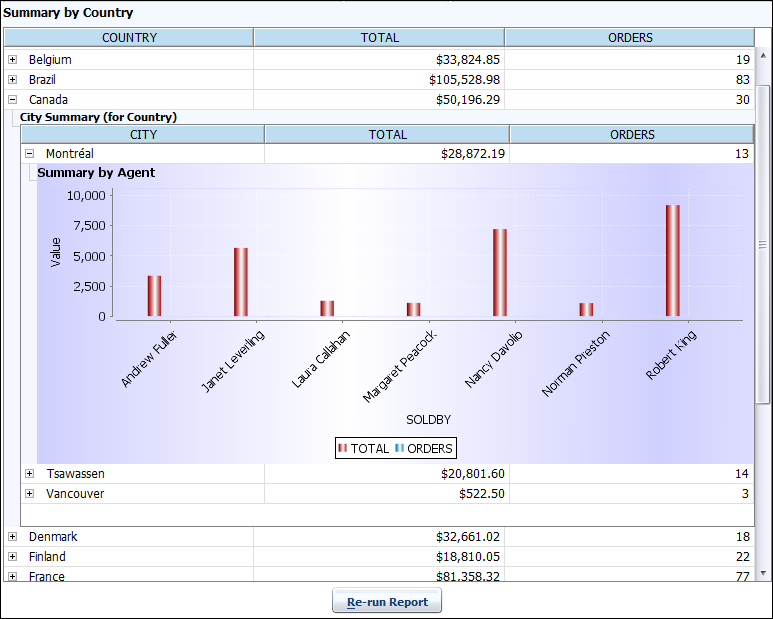
BIPLUS allows you to define master-detail reports as inline. This is called as Hierarchical Reports which has structure of multiple levels. You can create multi-tier hierarchical reports. In this section you learn how to create a hierarchical report, here we are going to create a 3-tier hierarchical report showing Summary by Country ⇒ Summary by City (for Country) ⇒ Summary by Agent (for Country & City) .
Let's create first report Summary by Country. Add a report in Reports Tree and of 'Type' Table report and 'Sub-Type' as Hierarchical.
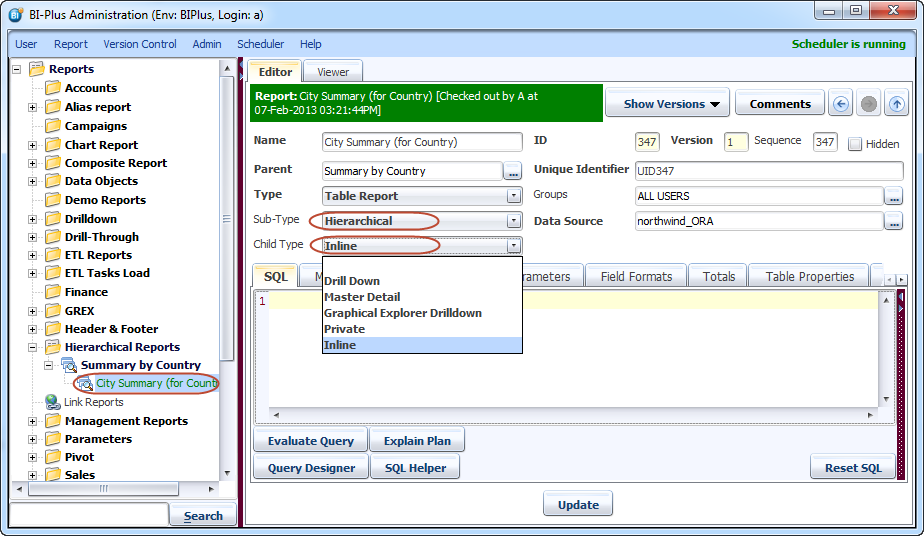
Note: If parent 'Sub-Type' is Hierarchical report then only 'Child Type' can be Inline report.
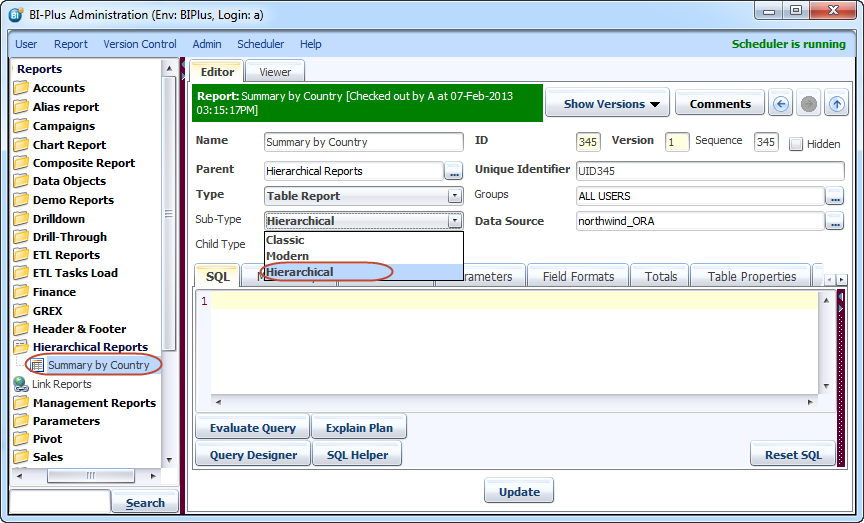
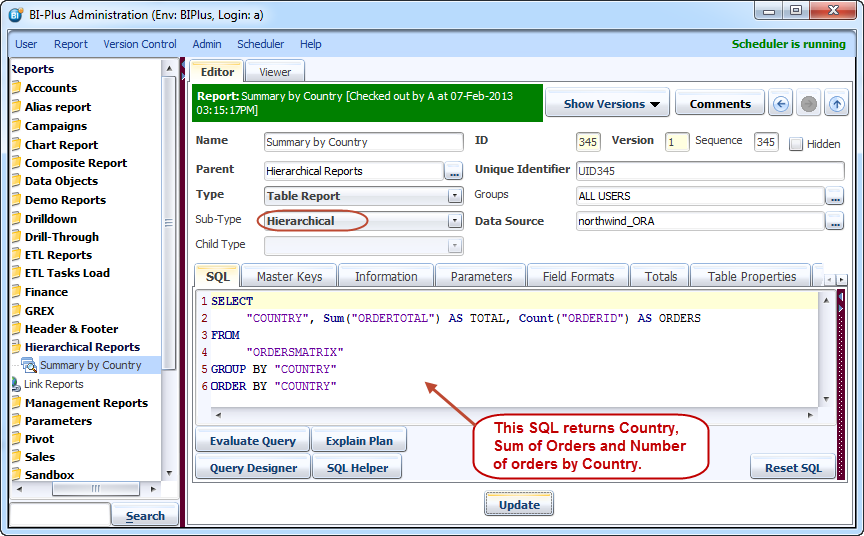
For parent report write following SQL into SQL editor tab for the Northwind data source. Add COUNTRY as MASTER_KEY from Master Keys tab.
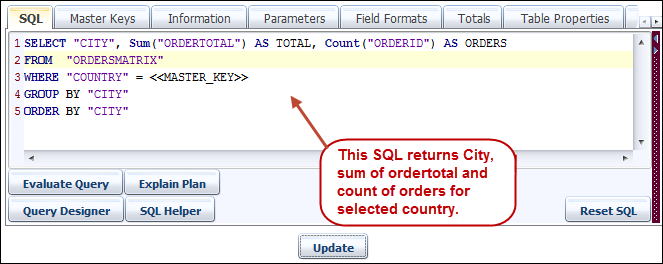
Now right click on Summary by Country report and add a report under it. Give it a name like we have given here City Summary. Remember if the parent is hierarchical then only child can be Inline report. Select 'Sub-type' of this report as Hierarchical and 'Child-Type' as Inline report. We are selecting 'Sub-Type' as Hierarchical because child of current report can also be an inline report.
Write SQL for the City Summary report. Add CITY as MASTER_KEY from Master Keys tab. From Settings tab you can set the Height and Width for child report.
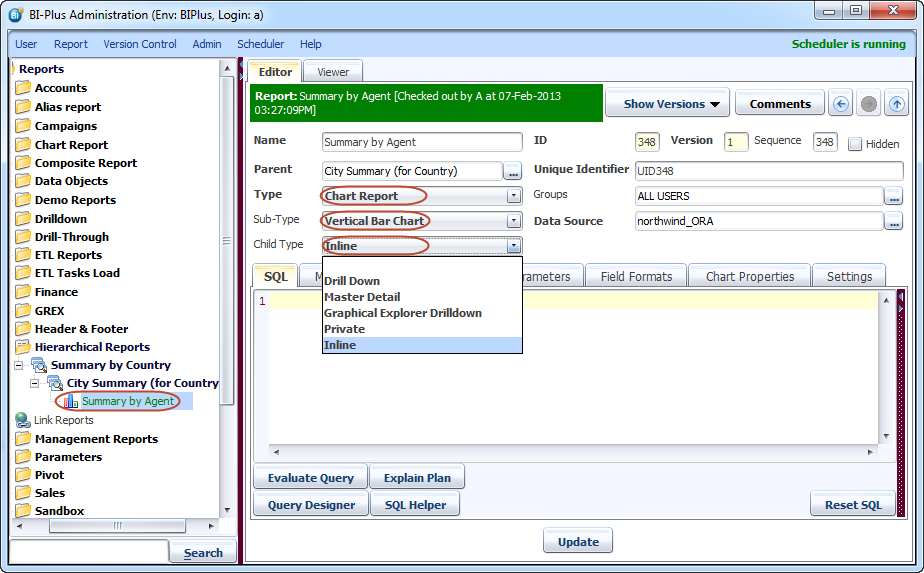
Again perform the same steps as mentioned above and add a child report under City summary report. Note that this is Vertical bar chart report and its 'Child-Type' is Inline.
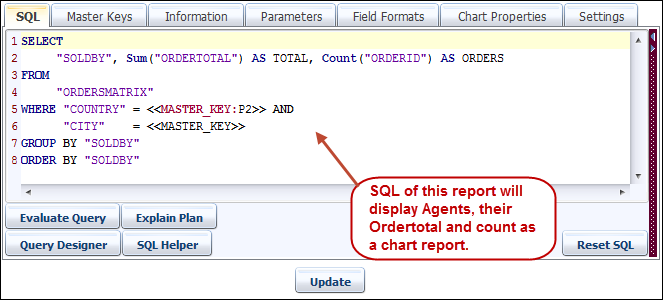
Write down the SQL query in this report. This report filters data by country & city and displays the results. We have adjusted the height and width of a chart report from Settings tab.
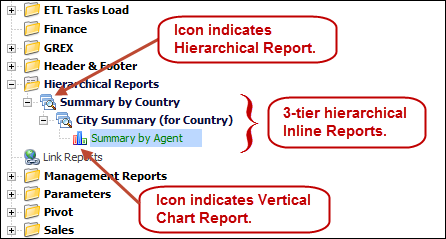
Once done then your hierarchical inline report structure will look like as below.
Now run the parent report Summary for Country. On report run you will notice that next to each record there is '+' sign, indicating that you can expand it further.
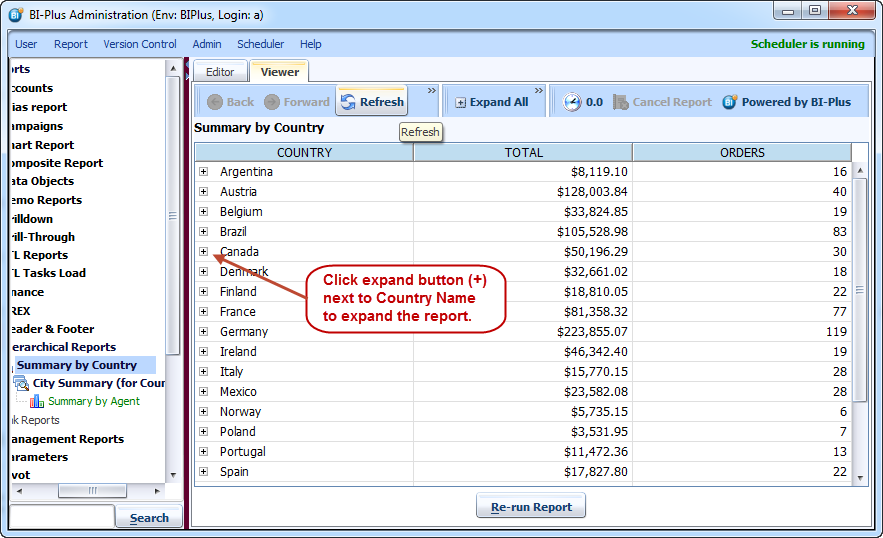
After expansion you will see a summary for the cities within the country. You can further expand it to see the result of next level report.
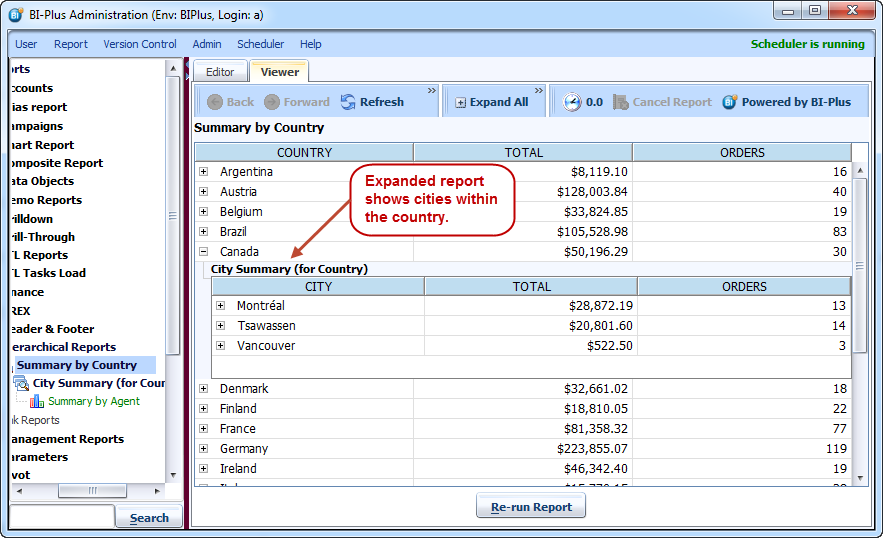
This shows the 3rd level report displaying summary for agents as a vertical bar chart report.